


Ever thought a free app might actually help you handle your money better? Imagine a simple tool that shows where each dollar goes and makes smart spending a breeze. In this post, we’ll look at seven budgeting apps that give you total control at no cost. They break down your spending patterns and help you plan easily, whether you’re tracking your daily purchases or saving for something special. Ready to find out how managing money can be both fun and stress-free? Let’s dive in and spark some financial joy!
7 free budgeting apps Spark Financial Joy
Free budgeting apps let you manage your money easily, and the best part is they cost nothing. They show you how much money comes in and goes out in a simple glance so you can stay in control. This means you can watch your cash flow closely and feel sure about every spending choice.
They’re built to help with all kinds of money needs, whether you're tracking daily expenses or saving up for something big. If you enjoy a clear snapshot of your bank funds or prefer a method that splits your money into different envelopes, there’s a free app that fits your style. Plus, they work great on both phones and computers, so you can do a quick check or dive deep into your budget whenever you need.
- Credit Karma: It lines up a whole set of budgeting features and even shows your credit score.
- PocketGuard: It links directly with your bank, showing exactly what’s left after all your bills.
- Goodbudget: It uses an envelope system to help you set aside money for each spending category.
- EveryDollar: It follows a zero-based plan, meaning every dollar gets its own job.
- Monefy: It offers a clear tracker for your everyday expenses in a simple design.
- Spendee: It uses colorful charts and supports multiple currencies to help you understand your cash flow.
- Fudget: It keeps things straightforward with a clean interface for quick expense entries.
All these free tools cover the basics perfectly. They help you track your spending, plan ahead, and give you that satisfying feeling of being in charge, all without costing you a dime.
In-Depth Comparison of Free Budgeting Apps

Are you on the lookout for a budgeting app that suits the way you handle money? We’ve put together an easy guide that highlights the main features of some popular free apps. You’ll learn about handy tools like automatic account syncing (automatically connecting your bank details) and envelope budgeting (a method that organizes money into different spending categories). The table below is a quick way to compare key aspects like basic functions, supported platforms, and what each app does best.
| App Name | Core Feature | Platforms | Strength |
|---|---|---|---|
| PocketGuard | Auto-sync accounts; clear view of available funds | iOS, Android | Simplifies expense tracking |
| YNAB | Zero-based budgeting method (every dollar gets a job) | iOS, Android, Desktop | Gives every dollar a purpose |
| Goodbudget | Envelope system; supports shared budgeting | iOS, Android, Web | Great for planning with others |
| Monarch Money | Blend of traditional and flexible methods | iOS, Android, Desktop | Offers adaptable layouts |
| HoneyDue | Shared views for couples | iOS, Android | Helps manage partner finances smoothly |
Finding the right free budgeting app really depends on how you manage your money. Maybe you favor the zero-based style of YNAB, or perhaps Goodbudget’s shared envelope method sounds more like what you need. Each option is built to give you a clear snapshot of your finances on both mobile and desktop, making it easier to pick the one that fits your personal style.
Feature Highlights of Popular Free Budgeting Apps
Free budgeting apps come in many shapes and sizes, and each one has its own way of helping you manage your money. Some apps, like YNAB, use a zero-based budgeting method (where every dollar gets a job) so you never waste a penny. Others, such as Goodbudget, use an envelope system that gives you a real feel for where your money is going. And then there are those goal-based tools, similar to EveryDollar, that help you set clear targets for saving and spending. In short, whether you're into a strict method or something a bit more flexible, there's a tool out there that fits you perfectly.
When it comes to tracking your spending, many apps make it a breeze. For example, PocketGuard automatically syncs your transactions so your expenses update in real time, no manual work needed! But if you like to be more hands-on, apps like Monefy and Fudget let you enter your spending directly. Plus, if you deal with different currencies and need to keep track of multiple accounts, Spendee has got you covered with support for various currencies and wallet systems.
Collaboration is another big plus with many free budgeting apps. HoneyDue, for instance, is designed for couples, letting you share a budget while still having some control over your own account. Goodbudget also offers shared budgeting features that work well for families or groups managing expenses together. And thanks to their compatibility with everything from smartphones to desktop computers, these apps keep you connected to your finances no matter where you are.
User Reviews and Ratings for Free Budgeting Apps
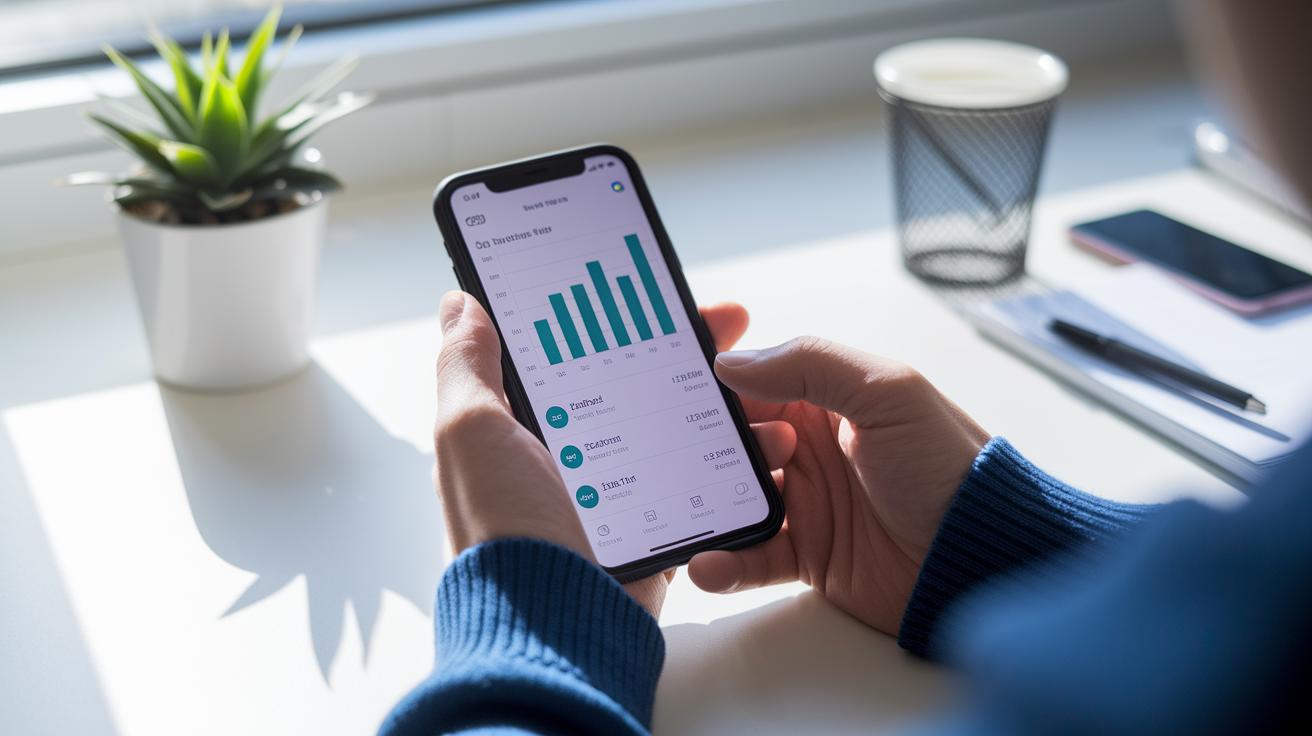
Everyday users say these free budgeting apps are reliable and easy to use. Many point out how simple it is to navigate through the design, with apps like PocketGuard earning about 4.7 out of 5 on Android and YNAB scoring roughly 4.5 on iOS. People love that these tools make handling money feel almost effortless.
A lot of reviewers also mention that the free versions offer plenty of useful features for tracking expenses and keeping an eye on personal finances. They often note how clear the interface is and how smooth it is to update transactions, almost like having a smart, trusted partner for your money. In short, these apps do a great job of making daily budget management easier.
On the flip side, some users have shared a few bumps along the road. For instance, a few apps don’t offer advanced reporting features, and there are occasional delays with syncing data. Goodbudget, for example, gets about 4.4 out of 5 ratings, and Monarch Money scores around 4.6, which shows that despite minor glitches, users are generally happy.
HoneyDue, made just for couples, averages around 4.3 out of 5. People appreciate how it lets couples share financial views while still keeping their own expenses separate. Overall, these mixed reviews show that while the apps shine in ease-of-use and clear design, there’s still room for a few technical tweaks.
How to Download and Set Up Free Budgeting Apps
Begin by getting the budgeting app you like best. If you use an iPhone, just open the App Store and type in the name of your tool. Android users can do the same from Google Play. Once you see apps like PocketGuard or Goodbudget, just tap to install. Have you ever seen a quick search result that promises "Easy bank syncing at your fingertips?" It makes things sound so simple.
After the download, you can connect your bank account or enter your data by hand. Most apps walk you through the setup step-by-step and ask for permissions to pull your transactions automatically (that means your purchase details are updated for you). You might get a message saying, "Connect your bank account now," which helps track your spending without much hassle.
Then, fill in your profile with your income and bills. Type in details like how much you earn each month and your regular expenses, such as rent or utilities. Some apps even let you turn on notifications or invite friends to keep track of shared budgets. This setup gives you a clear picture of your finances so you can plan your spending easily.
Specialized Free Budgeting Apps for Different Needs

Choosing the right budgeting app is a bit like picking out a favorite pair of shoes, it has to fit your life just right. Whether you’re a student looking for an easy way to track your allowance, a couple wanting to keep some money personal while sharing bills, or a family trying to manage group spending, there’s an app made with you in mind. These free apps are built to keep budgeting fun and simple, helping you stay in tune with your money.
Student Budgeting Solutions
Students usually need an app that’s quick and straightforward with no extra frills. Apps like Monefy and Fudget do just that. They let you quickly jot down every expense, like snapping up a snack or saving up for something cool, without any confusing features. The clear design helps you learn the basics of money management while keeping things tidy.
Couples and Shared Expense Trackers
Managing money together can be tricky, but the right app can really help. Apps like Goodbudget and HoneyDue give couples a neat way to keep an eye on shared bills while still tracking personal spending. They offer a shared view for common expenses, so whether you’re planning a little getaway or keeping tabs on monthly bills, both partners can easily stay in the loop.
Family and Group Budget Planners
For families or groups that handle money together, having an app that lets many people join in is a big help. For example, Monarch Money’s family wallet feature allows everyone to see the whole picture and pitch in. Spendee does something similar, making it easy for a household to track shared expenses while still keeping personal costs clear. It’s like having a team where everyone knows the game plan for spending.
Practical Tips for Maximizing Free Budgeting Apps
Start by setting spending targets that feel real for your everyday life. Use your budgeting app to keep track of every dollar and check in on your progress each month. When you update things regularly, you’ll notice little changes, like unexpected extra spending, that might mean you need to adjust your budget or even trim back in one area.
Next, take a moment every week to sort out your expenses. This simple habit helps you spot patterns, and turning on alerts for your budget limits can keep you on track without having to constantly monitor your app. In truth, these tiny adjustments really add up over time and can make handling your money a lot easier.
Finally, make it a habit to review in-app reports every few months. Look at the detailed insights to see any new patterns or opportunities emerging, and use them to refresh your financial plans. This regular check-in not only helps you fine-tune your budget but also makes managing your money feel like a fun and stress-free activity.
Final Words
In the action, we examined a host of no-cost solutions, from detailed app comparisons to practical tips for setting up your account. The post highlighted feature insights, user experiences, and specialized tools for every budgeting need.
We wrapped up how these free budgeting apps can simplify your financial planning and boost everyday money management. Enjoy exploring these tools and feel ready to take charge of your finances with confidence and ease.
FAQ
What are some of the best free budgeting apps available?
The best free budgeting apps combine expense tracking and bank sync features. Top options include PocketGuard, Goodbudget, Mint, EveryDollar, Credit Karma, and Empower, each offering essential tools without subscription fees.
What free budgeting apps connect to bank accounts?
The free budgeting apps connecting to bank accounts automatically sync transactions for real-time tracking. Apps like PocketGuard and Mint link directly to your bank, making it simple to monitor your spending.
What is Goodbudget and why is it popular?
Goodbudget uses an envelope system to allocate funds across spending categories. It is popular for its clear, organized interface that helps users manage expenses without complex features or fees.
Is Dave Ramsey’s EveryDollar app free?
Dave Ramsey’s EveryDollar app offers a free version featuring basic budgeting tools. While additional features come with an upgrade, the standard version covers essential tracking and planning needs.
Are free budget apps safe to use?
Free budget apps are safe when they feature strong encryption and robust security measures. Checking app reviews and privacy policies further assures that your financial data is well protected.
How can I track my finances for free?
Tracking your finances for free involves using apps that sync with bank accounts or allow manual entries. These tools automatically update spending and help maintain an accurate overview of your money.
What does the 70-10-10-10 budget rule mean?
The 70-10-10-10 rule divides your income into four parts: 70% for necessities, and 10% each for savings, debt repayment, and personal spending. It offers a balanced approach to managing expenses.
Which free budgeting apps work well for couples?
Budgeting apps like HoneyDue and Goodbudget work well for couples by offering shared expense tracking and collaborative features. They make it easier for partners to stay on top of their joint finances.
What free budgeting apps are recommended for college students?
College students can benefit from simple apps such as Monefy and Fudget. These tools provide straightforward expense tracking and budgeting, perfect for managing limited student finances.
What is Credit Karma budgeting?
Credit Karma budgeting is a free financial tool that tracks expenses and offers personalized insights. It helps users keep an eye on their spending and suggests ways to manage their money more effectively.